Learn
Start with a website or manual setup. Review the proposed Business Brain, confirm facts and choose business goals.

THE OPERATOR LOOP
AI business automation works best when context, permission and evidence stay connected. Here is the Runaira flow, step by step.
SEE THE REAL INTERFACE
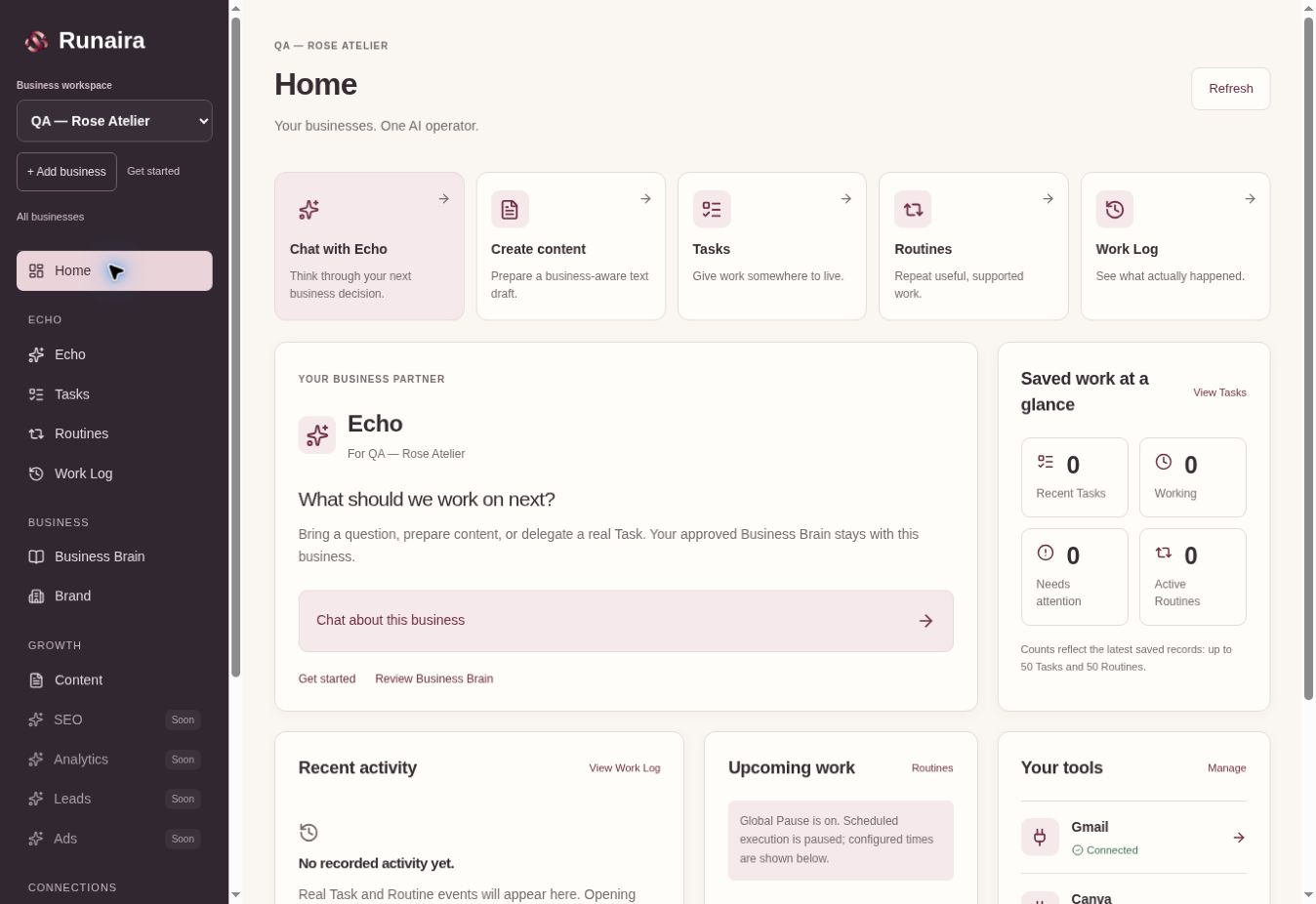
The planned 60–90 second recording will follow Business Brain, switching between businesses, a saved Task, a Routine, Gmail draft review and the Work Log. A finished walkthrough is not available yet.
Start with a website or manual setup. Review the proposed Business Brain, confirm facts and choose business goals.
Choose an outcome and explicitly begin a supported Task. A saved onboarding idea alone does not start work.
Echo uses the selected business’s approved context and existing content or connected inbox workflow. The Task keeps its status and attempts.
Open the result, refine text and review any action requiring your confirmation. A draft remains a draft.
Runaira carries out the permitted operation. Gmail draft creation requires explicit approval; automatic sending and social publishing are not available.
Task results and real events remain in the business’s Work Log. Make supported work recurring with a Routine when you choose.
Add a business and choose how Echo should learn. Website setup proposes a Business Brain from accessible public pages; you review and confirm the facts. Manual setup is equally supported. Choose goals, consider recommended live connections and decide what work should come first.
Learn about Business Brain ↗A first outcome stays an idea until you explicitly begin a supported workflow. A content Task can use the shared OpenAI/Gemini Content Engine; inbox work requires the selected business’s Gmail connection. Planned capabilities are not presented as completed work.
Understand persistent Tasks ↗Open and refine a saved text draft, or review a suggested reply before explicitly creating a Gmail draft. Read the actual Task history in Work Log. A Routine can create a new normal Task on its schedule, while Global Pause and approval rules still apply.
Explore recurring work ↗The selected workspace remains visible in the business switcher. Move to another business to work with its Brain, goals, connections, Tasks and results. Adding a business does not copy the first business’s context or records.
See the multi-business difference ↗Runaira saves content drafts and supports explicitly approved Gmail draft creation. It does not automatically send email, publish social posts, create ads or perform refunds. A completed Task represents the supported work it actually performed.
Read the owner-approval guide ↗YOUR BUSINESSES. ONE AI OPERATOR.
Start with one business. Give Echo context. Decide what happens next.
Early access · No live paid trial