Stop explaining the business from scratch.
Review what Echo learns from your website or add it manually. Keep approved facts, goals and instructions in the right Business Brain.
Explore Business Brain
BUILT FOR OWNERS WITH MORE THAN ONE THING TO RUN
Echo is your AI business partner. Each business keeps its own Business Brain, goals, instructions, connections, Tasks, Routines, drafts and work history. Separate context, useful work, and you in control.
AI business management software · Website-first or manual setup
Your business. One AI operator.
Work with Rose Atelier’s voice, audience and goals.
Thoughtful products. A warm, personal voice.
Prepare the work.
Review the result.
Choose what happens next.
Illustration · No live activity or automatic publishing
FROM OPEN TABS TO ACTUAL WORK
Different audiences. Different offers. Different priorities. Repeatedly explaining each business and searching across tools leaves less time for decisions. Runaira connects context, delegation and results.
Review what Echo learns from your website or add it manually. Keep approved facts, goals and instructions in the right Business Brain.
Explore Business BrainPersistent Tasks keep requests, status, failures and linked results available after you leave. Routines make supported work repeatable.
Explore TasksReview prepared work, explicitly approve Gmail draft creation, and use a Work Log built from real events.
Explore Work LogTHE MULTI-BUSINESS DIFFERENCE
You can share an owner account without sharing business context. Each workspace keeps its own knowledge, connections and work.
Its products. Its audience. Its voice.
Its services. Its customers. Its priorities.
Illustrative business types—not customer records or live activity.
See how business separation works ↗AVAILABLE IN EARLY ACCESS
Small business automation starts with useful workflows that work today—not a wall of integrations marked “coming soon.”
Create business-aware captions, hooks, scripts, ad copy and email drafts with OpenAI or Gemini. Save and refine text in the selected business.
See the workflowReview bounded Gmail threads, read summaries and suggested replies, then approve Gmail draft creation. No automatic sending in Runaira.
See the workflowSchedule supported content and Gmail work with business-scoped Routines. Each run creates a real Task with its own result and history.
See the workflowHOW RUNAIRA WORKS
Learn → Delegate → Work → Review → Execute → Record. Start with one useful outcome, then repeat what helps.
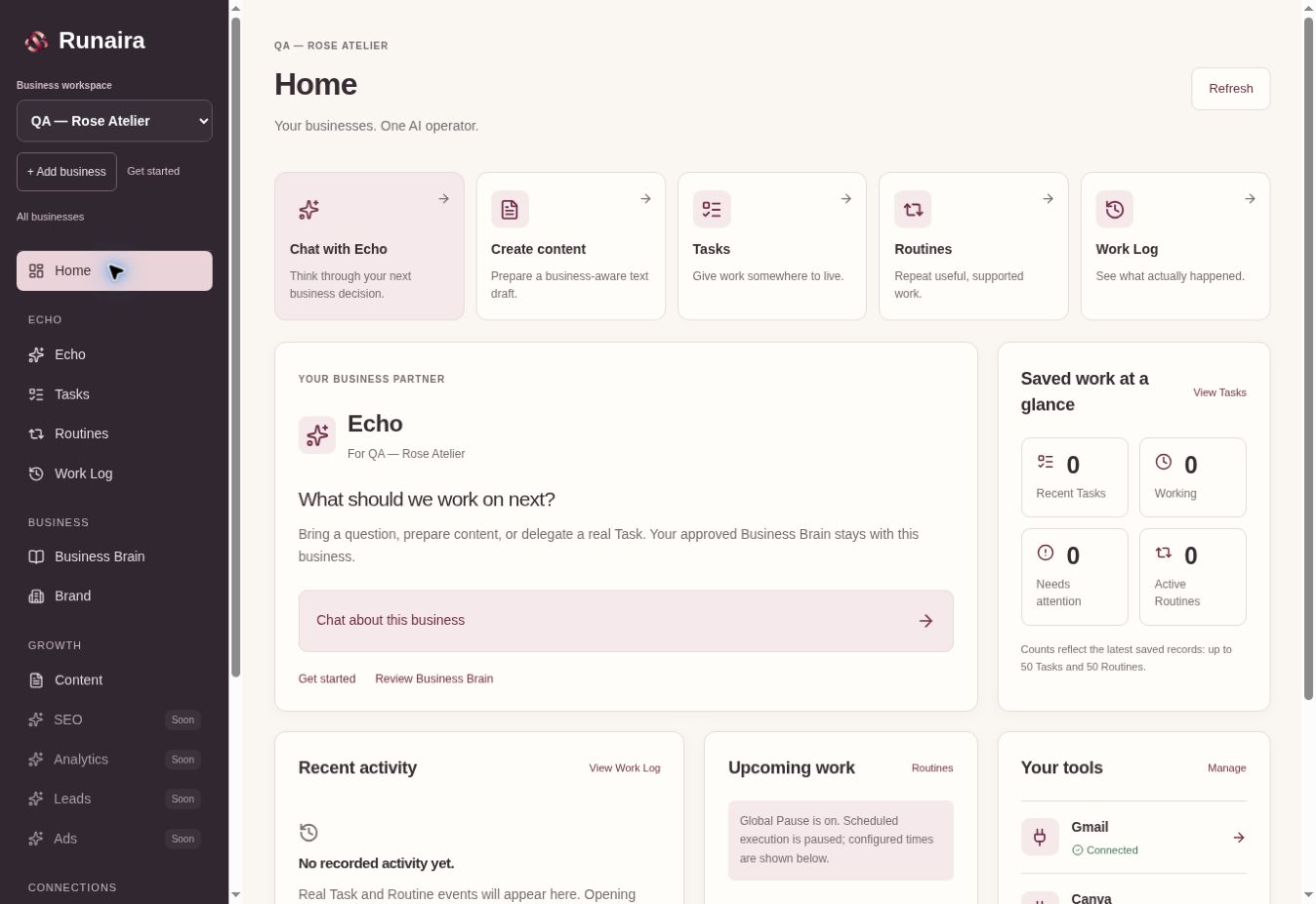
The planned 60–90 second recording will follow Business Brain, switching between businesses, a saved Task, a Routine, Gmail draft review and the Work Log. A finished walkthrough is not available yet.
Start with a website or manual setup. Review the proposed Business Brain, confirm facts and choose business goals.
Choose an outcome and explicitly begin a supported Task. A saved onboarding idea alone does not start work.
Echo uses the selected business’s approved context and existing content or connected inbox workflow. The Task keeps its status and attempts.
Open the result, refine text and review any action requiring your confirmation. A draft remains a draft.
Runaira carries out the permitted operation. Gmail draft creation requires explicit approval; automatic sending and social publishing are not available.
Task results and real events remain in the business’s Work Log. Make supported work recurring with a Routine when you choose.
YOUR BUSINESSES. ONE AI OPERATOR.
Start with one business. Give Echo context. Decide what happens next.
Early access · No live paid trial